Google Search Console for AI Search in 2026: Generative AI and Multimodal Reporting
Learn how to use Search Console's generative AI and multimodal performance reports to measure AI search impressions, pages, countries, devices and visual discovery.

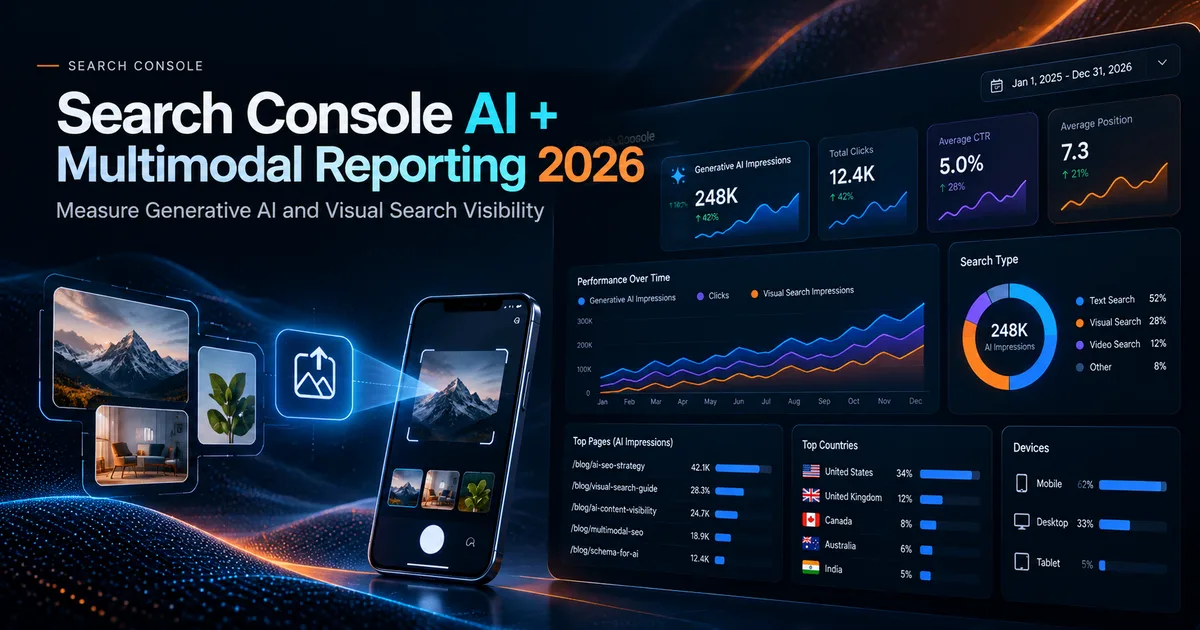
For years, one of the hardest parts of AI search optimization was measurement. Website owners could see anecdotal mentions in AI answers but had limited first-party data from the search platform itself.
That changed significantly in 2026.
Google introduced dedicated generative AI performance reporting in Search Console and later added web multimodal search reporting, giving site owners new ways to understand how their URLs appear in AI-driven and visual search experiences.
This guide explains what the new reports can tell you, what they still cannot tell you, and how to turn the data into a practical workflow.
What changed in Search Console in 2026?
Google announced dedicated Search Generative AI performance reports in June 2026 and said the insights had rolled out globally to all websites by August 31, 2026.
The reports cover visibility in generative AI features such as AI Overviews and AI Mode, with dedicated views for Search and Discover.
Google says the report can show:
- Impressions.
- Pages.
- Countries.
- Devices for Search.
- Dates with multiple time granularities.
Then on September 24, 2026, Google announced web multimodal Search performance reporting. This adds insight into searches involving images and visual input, including experiences such as Lens, Circle to Search, image uploads to Google Search and Chrome's "Search this image" feature.
That creates a much stronger measurement foundation for modern SEO.
Generative AI impressions are not the same as clicks
An impression in an AI feature means your URL appeared in that environment according to Google's reporting definitions. It does not mean the user clicked.
That distinction matters because AI search often creates value before a visit happens.
A user may:
- See your brand or URL in an AI answer.
- Remember the brand.
- Search for the brand later.
- Convert through a different channel.
So your measurement framework should include direct traffic and assisted effects, not just AI-origin clicks.
For the attribution layer, see AI Search ROI.
Build a weekly Generative AI report
Start simple.
Track five views every week:
1. Total AI impressions
Is visibility increasing, flat or declining?
Do not overreact to a one-day spike. Use weekly or monthly trends for strategic decisions.
2. Top pages
Which URLs are being shown most often in generative AI features?
Group those pages by type:
- Educational guide.
- Product page.
- Comparison.
- Original research.
- Local page.
- Documentation.
Patterns can reveal which content formats the site is successfully surfacing.
3. Country distribution
If visibility is concentrated in one market, compare that with your intended audience.
A SaaS business targeting the US but receiving most visibility in another country may need localization, distribution or content adjustments.
4. Device distribution
Device data can help you understand whether AI visibility is happening primarily on mobile or desktop.
Use that insight alongside page-experience testing. Mobile-heavy exposure is a strong reason to prioritize mobile speed and readability.
5. Date trend
Annotate meaningful site changes:
- Major content updates.
- New research.
- Technical fixes.
- Internal linking improvements.
- Product launches.
Do not assume the change caused the visibility movement, but annotations make later analysis easier.
Add multimodal reporting to image-heavy content
Google's new multimodal reporting is especially valuable for websites with:
- Products.
- Visual tutorials.
- Before-and-after examples.
- Design content.
- Local business imagery.
- Screenshots and diagrams.
The new filter can show performance from visual search interactions such as Google Lens and image uploads.
That means image SEO can finally be measured with more context than ordinary image-search impressions alone.
What to check when multimodal impressions appear
If a page starts receiving multimodal visibility, audit the images on that page.
Look at:
- Image resolution.
- Descriptive alt text.
- Surrounding text.
- Captions where useful.
- File format and weight.
- Whether the image is original.
- Whether the image clearly represents the topic.
og:imageand structured image metadata where relevant.
Google's documentation updates in 2026 also clarified preferred image best practices and noted that both schema.org markup and og:image can be sources for determining thumbnails in Search and Discover.
Create an AI visibility dashboard without inventing metrics
It is tempting to combine everything into a proprietary score. Be careful.
A more transparent dashboard can track separate metrics:
| Metric | Source | Meaning |
|---|---|---|
| Generative AI impressions | Search Console | URL visibility in Google's generative AI features |
| Top AI-visible pages | Search Console | Which pages surface most often |
| Multimodal impressions | Search Console | Visibility from visual search interactions |
| AI referral sessions | Analytics | Visits from answer engines that pass referrer data |
| Brand search demand | Search Console | Changes in branded queries |
| Leads or trials | Analytics/CRM | Business outcomes |
Keeping the metrics separate avoids pretending they measure the same thing.
Compare AI-visible pages with ordinary organic performance
An interesting analysis is to create four groups:
- High organic + high AI visibility.
- High organic + low AI visibility.
- Low organic + high AI visibility.
- Low organic + low AI visibility.
Each group suggests a different action.
High organic + high AI
Protect and refresh the page. It is working across surfaces.
High organic + low AI
Review whether the page is sufficiently self-contained, sourceable and differentiated.
Low organic + high AI
Investigate whether the page answers a conversational or synthesis-heavy intent that traditional rankings do not fully capture.
Low organic + low AI
Reassess whether the page deserves further investment, needs consolidation or targets a very small audience.
Use page-level annotations
When you make a meaningful update, record:
- Date.
- URL.
- What changed.
- Why it changed.
- Expected effect.
Examples:
- Added original benchmark data.
- Improved internal links.
- Reworked title and intro for clarity.
- Added diagrams.
- Improved mobile performance.
- Updated stale statistics.
Then compare trends after enough time has passed.
This avoids the common problem of seeing a visibility change and forgetting what changed on the site.
What Search Console still cannot prove
Search Console data does not automatically tell you:
- Why an AI system selected a page.
- Whether a specific content change caused an impression increase.
- Whether the user read the AI answer carefully.
- Whether a later direct conversion was influenced by that exposure.
Treat the reports as observational evidence, not causal proof.
Combine Search Console with analytics
Google's AI features documentation recommends using Search Console alongside analytics tools to understand conversions and engagement.
A useful workflow:
- Identify AI-visible pages in Search Console.
- Check those pages in analytics.
- Compare engagement and conversion rates.
- Track branded search over time.
- Monitor direct and assisted conversions.
- Record AI referrals from platforms that expose referral data.
This produces a more complete view than any single report.
A monthly AI search review agenda
Use this 30-minute checklist:
Visibility
- Are generative AI impressions trending up?
- Which pages gained the most visibility?
- Which pages lost visibility?
Geography
- Are the right countries seeing the site?
Devices
- Is mobile exposure growing?
- Are mobile Core Web Vitals healthy?
Multimodal
- Which pages appear in visual searches?
- Do those pages use strong original imagery?
Content
- Which content types surface most often?
- Are original research pages outperforming generic explainers?
Business impact
- Did AI-visible pages contribute to leads, trials or branded demand?
Connect reporting to content decisions
Do not publish more articles simply because AI impressions exist.
Use the data to decide:
- Which pages deserve updates.
- Which topic clusters need deeper coverage.
- Which visuals should be improved.
- Which pages should link to one another.
- Where original research could add value.
For a content planning framework, read Content Strategy for AI Search.
The most important 2026 shift
The biggest change is that AI search visibility is becoming more measurable inside the same ecosystem website owners already use for SEO.
That reduces the need to rely entirely on third-party prompt trackers for Google-specific visibility.
Third-party tools can still be useful for cross-platform monitoring, but Search Console gives you first-party Google data that should become part of the core reporting stack.
Final takeaway
In 2026, Search Console is no longer only a traditional blue-link SEO tool.
Generative AI reporting shows where your URLs appear in AI-driven search experiences. Multimodal reporting adds visibility into visual search behavior. Combined with analytics and conversion data, these reports can help you move from anecdotal AI mentions to a repeatable measurement process.
Use the data to learn which pages earn visibility, which formats perform, where users are located, which devices matter and how visual discovery is changing.
Then make content decisions based on evidence rather than guesses.
References
- Google: Introducing Search Generative AI performance reports
- Google: Web multimodal Search performance reporting
- Google: AI features and your website
- Google generative AI optimization guide
Co-Founder of Strat IQ Digital and builder of CrawlerQue and Stratly Digital, based in West Palm Beach, FL. I work on AI products, SaaS, SEO intelligence, CRM automation and growth systems.