Lead Routing Automation: Round Robin, Ownership, SLAs and Fallbacks
Design reliable lead routing with round robin assignment, territory rules, ownership, SLA timers, reassignment, fallback queues and audit history.

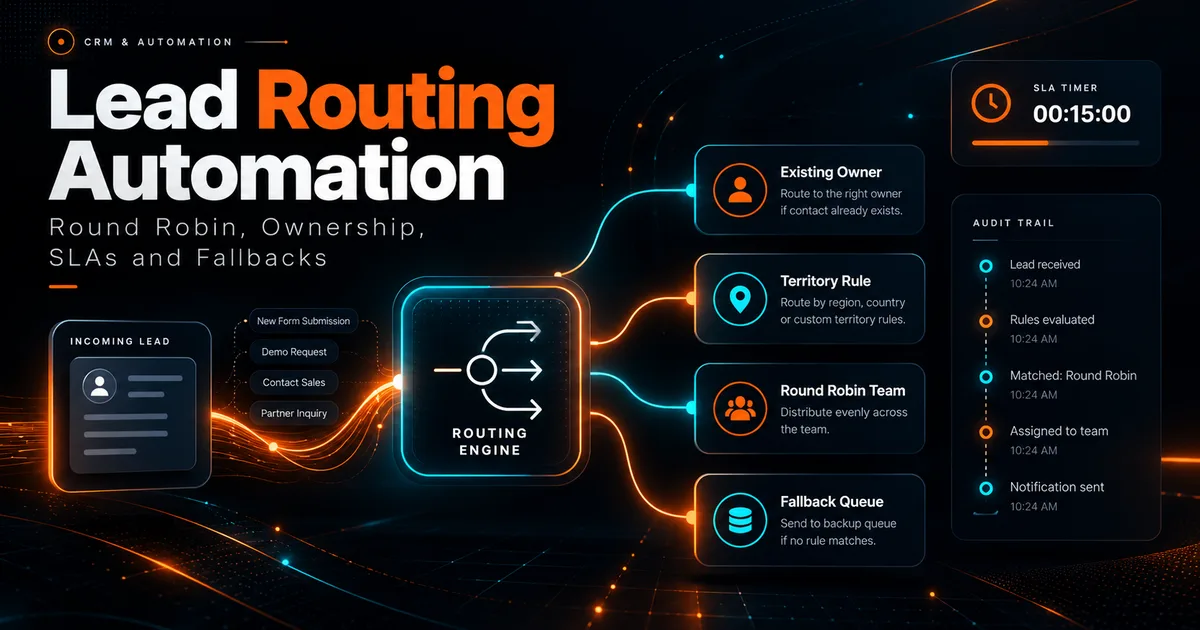
Lead routing looks simple until the first exception appears.
A new lead enters the CRM, a rule assigns an owner and a notification is sent. Then an agent is unavailable, two leads share the same company, a territory rule conflicts with an account owner, or a webhook retries and creates a second assignment.
Reliable routing requires more than a round robin counter.
Start with an ownership hierarchy
Define which rule wins when multiple rules match.
A practical hierarchy might be:
- Existing account owner.
- Explicit named assignment.
- Territory or service specialization.
- Team queue.
- Round robin within the eligible team.
- Fallback queue.
Without a priority order, the same lead may change owners repeatedly as different automations run.
Round robin needs eligibility rules
A basic round robin assigns leads in sequence. A production round robin should also consider whether the agent is eligible.
Possible eligibility checks:
- Active account.
- Correct team or service permission.
- Working schedule.
- Current availability status.
- Maximum open lead capacity.
- Geographic or language requirement.
If no agent is eligible, the system should route to a visible queue rather than silently fail.
Preserve account ownership
If a company already has an owner, a new contact from the same company may need to stay with that owner.
This requires reliable company matching. Domain based matching can help, but generic email domains such as Gmail should not automatically create account relationships.
Define when a person, company and opportunity are considered part of the same account context.
Build a fallback queue
Every routing system needs a safe destination for unmatched leads.
A fallback queue should have:
- A named owner or team responsible for monitoring it.
- A visible count on the dashboard.
- An escalation timer.
- A reason field explaining why normal routing failed.
Examples of reasons:
- No eligible agent.
- Missing territory.
- Conflicting account match.
- Required data invalid.
- Integration failure.
SLA timers should track real events
An SLA such as "respond within 15 minutes" needs a precise start and stop definition.
Start event could be:
- Valid lead created.
Stop event could be:
- First outbound contact attempt logged.
Do not stop the timer merely because the lead was assigned. Assignment is not response.
Record timestamps for both events so reporting is reproducible.
Reassignment rules need guardrails
Automatic reassignment can improve response time, but it can also create ownership chaos.
Define:
- When reassignment is allowed.
- Whether the original owner gets a warning.
- Whether active conversations prevent reassignment.
- How many times a lead can rotate.
- Whether the SLA restarts after reassignment.
A lead with a scheduled meeting should not move to another agent because a generic timer expired.
Use idempotency for webhooks
Lead forms, ad platforms and integrations can retry requests.
Store an event or submission identifier and check it before creating a new lead or assignment.
Without this, one form submission can become two CRM records assigned to two agents.
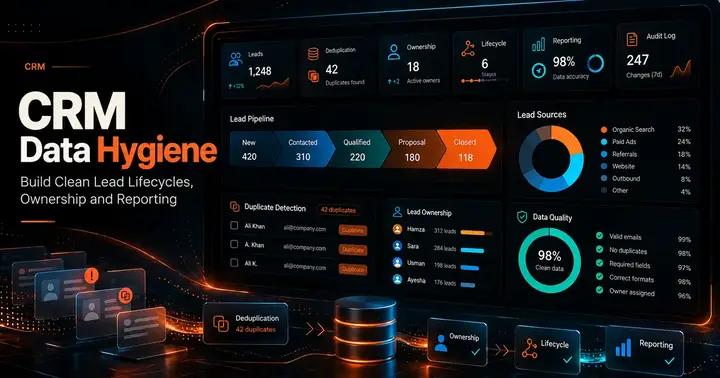
This connects directly to CRM Data Hygiene.
Notifications should follow ownership
The routing result should drive notifications.
A useful sequence:
- Assign owner.
- Persist assignment.
- Create SLA timer.
- Notify assigned agent.
- Notify team lead only for escalation conditions.
Do not notify before the assignment is committed. Otherwise two agents may act on the same lead.
Example routing model
Consider a three person team selling two services.
Lead A requests SEO and belongs to an existing account. Existing owner wins.
Lead B requests website development and has no existing account. The website team round robin selects an available agent.
Lead C has missing service information. It goes to the qualification queue instead of being randomly assigned.
Lead D matches a territory but every eligible agent is unavailable. It enters the fallback queue with an urgent SLA.
The routing logic is understandable because every outcome has a reason.
Store the assignment reason
For each assignment, store:
- Assigned owner.
- Assignment timestamp.
- Rule that matched.
- Previous owner if changed.
- Trigger event.
- Whether assignment was automatic or manual.
This makes disputes and debugging much easier.
Monitor routing quality
Track:
- Time to first assignment.
- Time to first human response.
- Unassigned lead count.
- Reassignment rate.
- Leads per agent.
- SLA breach rate.
- Fallback queue age.
- Duplicate assignment incidents.
Do not optimize only for equal distribution. A perfectly balanced round robin can still produce poor outcomes if skill, capacity and account continuity are ignored.
Manual override is necessary
Admins or team leads should be able to reassign a lead when business context requires it.
Manual override should:
- Record who changed the owner.
- Preserve the previous owner.
- Optionally lock the assignment from automatic rules.
- Recalculate SLA behavior according to policy.
Automation should support operations, not trap them.
Final checklist
A lead routing system is ready when:
- Rule priority is documented.
- Existing ownership is respected.
- Round robin uses eligibility, not only sequence.
- A fallback queue exists.
- SLA start and stop events are explicit.
- Webhooks are idempotent.
- Reassignment has limits.
- Assignment reasons are logged.
- Manual override is available.
- Dashboards expose unassigned and overdue leads.
The routing algorithm can be simple. Reliability comes from handling the states around it.
Co-Founder of Strat IQ Digital and builder of CrawlerQue and Stratly Digital, based in West Palm Beach, FL. I work on AI products, SaaS, SEO intelligence, CRM automation and growth systems.