AI Automation Reliability Engineering: Idempotency, Retries, Human Escalation and Observability
A practical reliability framework for AI automation covering idempotency, retries, approval gates, fallbacks, audit logs, monitoring and safe recovery from failures.
Updated · Sources, examples and corrections
AI automation becomes valuable when it can run repeatedly without creating new problems. A prototype that works once is not the same as an operational workflow that can survive duplicate events, API timeouts, partial failures, bad model output and uncertain decisions.
Reliability engineering for AI automation is the discipline of designing for those failures before they happen.
The core idea is simple: every important automated action should be safe to retry, easy to observe, possible to stop and recoverable when confidence is low.
This guide explains a practical architecture for small business, CRM, support and operational automations. It does not assume a specific AI vendor or automation platform.
NIST's AI Risk Management Framework encourages organizations to manage AI risk across design, deployment, use and evaluation. Its companion playbook organizes work around Govern, Map, Measure and Manage. See NIST AI Risk Management Framework and the NIST AI RMF Playbook.
Start with a failure model
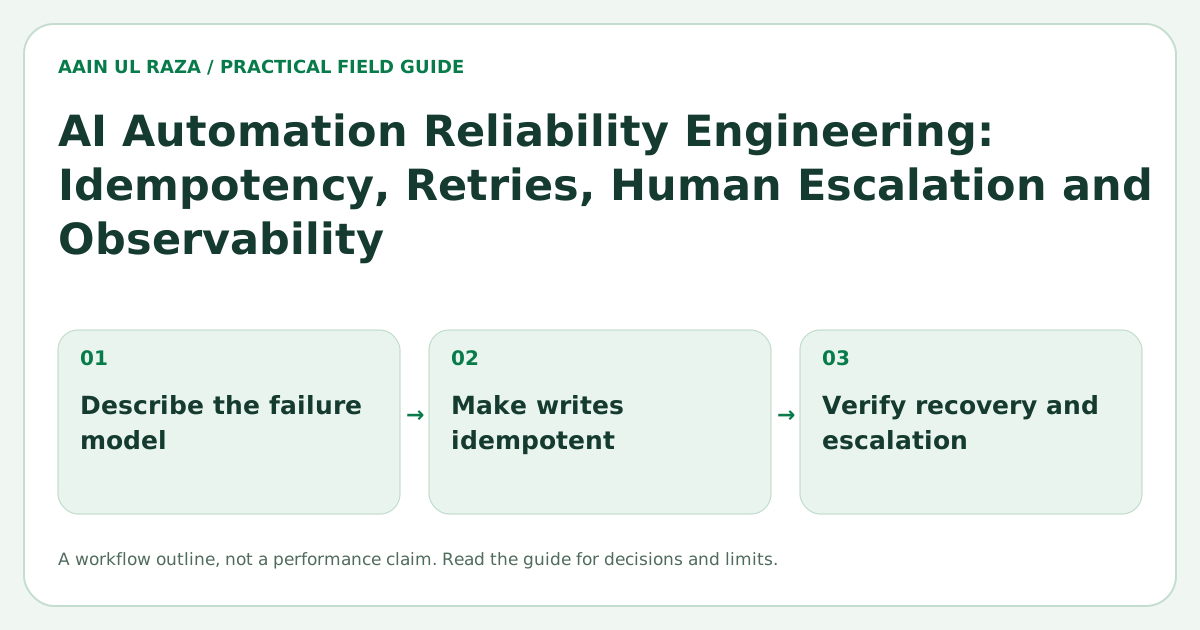
Before choosing prompts or agents, list how the workflow can fail.
For a lead intake automation, failure modes might include:
- The same webhook arrives twice.
- The CRM API times out after creating the contact.
- The model extracts the wrong company name.
- A phone number is missing.
- The lead is assigned to an inactive owner.
- A follow up message is generated with the wrong context.
- The workflow stops halfway through and never resumes.
If the design only describes the happy path, the design is incomplete.
A useful reliability review asks four questions for every step:
- What input can be wrong or missing?
- What external dependency can fail?
- What happens if the step runs twice?
- How will an operator know something went wrong?
Make write operations idempotent
Idempotency means that repeating the same request does not create a second unintended effect.
Suppose a workflow receives a lead and creates a CRM record. The CRM request succeeds, but the network connection drops before the workflow receives the success response. If the workflow blindly retries, it may create a duplicate contact.
A safer design uses a stable event or business key.
For example:
lead_source + source_record_id
or
normalized_email + workspace_id
Before creating a new record, the workflow checks whether that logical event has already been processed.
You can also store an idempotency record with:
- Event ID
- Workflow version
- Step name
- Status
- External record ID
- First processed time
- Last retry time
This gives the system a memory of what it has already done.
Idempotency is especially important for payments, email sends, CRM record creation, task creation and any operation that causes an external side effect.
Use retries selectively
Retries are useful for temporary failures. They are dangerous for permanent failures.
Retry these kinds of problems:
- HTTP 429 rate limits.
- Temporary 5xx errors.
- Network timeouts.
- Short lived dependency outages.
Do not repeatedly retry these without changing the input:
- Invalid authentication.
- Missing required fields.
- Permission denied.
- A rejected business rule.
- Malformed data.
A common pattern is exponential backoff with a maximum attempt count. For example, the system might wait 5 seconds, then 30 seconds, then 2 minutes before moving the job to a review queue.
The exact schedule should match the dependency and business urgency.
Separate transport failure from reasoning failure
AI workflows introduce another class of failure: the system technically completed the request, but the answer is not reliable enough to act on.
That is different from an API timeout.
For each AI step, define an output contract. A structured extraction might require:
- A company name.
- A confidence score.
- A source field showing where the value came from.
- A reason when the field is unknown.
Then validate the result before the workflow uses it.
If a required field is missing, do not pretend the model succeeded. Route the item to a fallback or review path.
The Human in the Loop AI Automation guide covers approval gates in more detail.
Use risk based approval gates
Not every AI action needs a human. Not every AI action should be fully automatic.
A practical model is to classify actions by impact and reversibility.
| Action | Impact | Reversible | Suggested control |
|---|---|---|---|
| Categorize a support ticket | Low | Yes | Automatic |
| Draft an email | Medium | Yes | Automatic draft, human send when needed |
| Change CRM ownership | Medium | Usually | Rule validation plus audit log |
| Issue a refund | High | Sometimes | Human approval |
| Delete customer data | High | No | Strong approval and verification |
The point is not to add approval everywhere. The point is to spend human attention where a bad action would be costly.
Design fallbacks before launch
A fallback is what the system does when the preferred path is unavailable.
Examples:
- If the AI classifier is uncertain, use a rules based queue.
- If the CRM is unavailable, store the event and retry later.
- If an owner cannot be found, assign the lead to a fallback queue.
- If enrichment fails, continue with the data already available.
- If a generated message fails validation, create a human task instead of sending it.
Fallbacks keep the business process moving without hiding the failure.
The Lead Routing Automation guide shows this pattern for CRM assignment.
Make every workflow observable
You cannot operate what you cannot see.
A reliable automation should expose at least four levels of observability.
Workflow status
How many runs succeeded, failed, retried or are waiting for review?
Step status
Which step fails most often?
Business outcome
Did the workflow actually achieve the intended result, such as assigning a lead, updating a record or sending a valid response?
Cost and latency
How much time and money does each run consume?
Technical success without business success is not enough. A workflow that returns HTTP 200 but routes leads to the wrong team is still failing.
Log decisions, not only errors
Audit logs should make important decisions explainable after the fact.
For a routing workflow, a useful audit event could include:
- Lead ID
- Rules evaluated
- Matching rule
- Previous owner
- New owner
- Model output if AI was involved
- Human approver when applicable
- Timestamp
- Workflow version
This is much more useful than a generic message saying automation completed.
Versioning matters because prompts, rules and schemas change. When an issue appears two weeks later, you need to know which logic produced the result.
Treat prompts and models as versioned dependencies
An AI prompt is production logic.
Store a version identifier with each workflow run. If you change the prompt, output schema or model configuration, increment the version and monitor whether error rates or business outcomes change.
For important workflows, test changes against a fixed evaluation set before production rollout.
The evaluation set should contain difficult and representative cases, not only easy examples.
Use dead letter queues for unresolved work
A dead letter queue is a holding area for jobs that cannot complete after the normal retry policy.
It prevents silent loss.
Each dead letter item should show:
- Original input
- Failure reason
- Attempts
- Last error
- Current workflow version
- Recommended operator action
An operator can then retry, correct the input, close the item or escalate it.
Without this queue, failed automation often disappears into logs until a customer notices.
Define service objectives
Reliability improves when the team defines measurable expectations.
For example:
- 99 percent of lead routing jobs complete within 2 minutes.
- Fewer than 0.5 percent of runs create a duplicate side effect.
- High risk AI actions require approval 100 percent of the time.
- Failed jobs appear in an operator queue within 5 minutes.
These are illustrative examples, not universal targets. Your thresholds should reflect the business process.
The important part is turning reliability into something observable instead of an intuition.
A reference workflow
A dependable AI automation often follows this sequence:
Receive → Validate → Deduplicate → Enrich → Decide → Approve if needed → Execute → Verify → Log
If any step fails, the workflow should know whether to retry, fall back, ask for human help or stop.
That control flow is more important than adding another model call.
Reliability checklist
Before launching an AI workflow, confirm:
- Every external write has an idempotency strategy.
- Temporary and permanent errors are treated differently.
- AI outputs are validated against a schema.
- High impact actions have appropriate approval gates.
- Failed jobs cannot disappear silently.
- Every run has a traceable workflow version.
- Business outcomes are monitored, not only technical responses.
- Operators can see and recover failed work.
- Fallback behavior is documented.
- Rollback or reversal is defined where possible.
For smaller workflows, not every item needs a complex infrastructure product. A database table, status field and clear retry policy can solve a large part of the problem.
Four failure injections for an AI workflow
Test an automation in staging with four deliberate failures: the upstream API times out, the model returns invalid JSON, a duplicate message is delivered and the downstream CRM rejects a write. Define for each whether to retry, queue for human review or stop. Log an idempotency key, correlation ID, error classification and final state without exposing private contact data.
A useful success criterion is no duplicate side effect, a visible pending state and a recoverable audit trail. These are acceptance criteria for a future test; they are not a report that any named product has already passed them. Validate the workflow with synthetic records before real customers are involved.
Recover from an ambiguous CRM write
A timeout after a write is harder than a timeout before a write: the CRM may already have created the record. Retrying blindly can duplicate it.
For a proposed lead workflow, assign a stable request ID before the first attempt. If a write times out, mark the task outcome_unknown, query by that request ID where the downstream system supports it, and reconcile before issuing another create. If the system cannot support a safe lookup, route the task for manual reconciliation.
| Observation | State | Next step |
|---|---|---|
| Record found for request ID | Completed | Store downstream ID; do not recreate |
| Confirmed absent | Retryable | Retry within the agreed policy |
| Lookup unavailable or ambiguous | Needs reconciliation | Stop automatic side effects |
Test this with a fake endpoint that commits a write and then drops the response. A successful HTTP retry is not the acceptance condition; one business record with an auditable resolution is.

Co-Founder of Strat IQ Digital and builder of CrawlerQue and Stratly Digital, based in West Palm Beach, FL. I work on AI products, SaaS, SEO intelligence, CRM automation and growth systems.