How to Create an AI Customer Support Knowledge Base That Gives Reliable Answers
Learn how to structure support content, improve AI accuracy, reduce hallucinations and build a reliable AI customer support knowledge base.
Updated · Sources, examples and corrections
An AI support assistant is only as reliable as the knowledge base behind it. If the source information is outdated, messy or incomplete, the assistant will produce weak answers no matter how advanced the model is.
The goal is not just to give fast answers. The goal is to give reliable answers that match your actual product, policies and support process.
What a support knowledge base should contain
A strong AI support knowledge base usually includes:
- Help articles
- Product documentation
- Setup guides
- Troubleshooting steps
- Billing and policy pages
- Shipping or return information
- Release notes
- Escalation rules
The AI should answer from this material instead of inventing responses.
Start with content structure
One of the biggest mistakes is storing support content in random formats. Reliable AI needs structured information.
Organize by category
Use clear groups such as:
- Account and login
- Billing and invoices
- Product setup
- Integrations
- Troubleshooting
- Security and permissions
- Returns or policies
Use consistent article format
Each article should include:
- Question or problem
- Short direct answer
- Step by step instructions
- Conditions or exceptions
- Links to related content
- Last updated date
This makes retrieval easier for both users and AI.
Write for answer accuracy
Support articles should be written clearly, not as vague marketing copy.
Good example:
To reset your password, go to Settings, select Security, click Reset Password and follow the email confirmation link.
Bad example:
We offer easy account security tools to help you manage access efficiently.
The second version sounds nice but is weak for support AI because it does not answer the task.
Reduce hallucinations with grounded retrieval
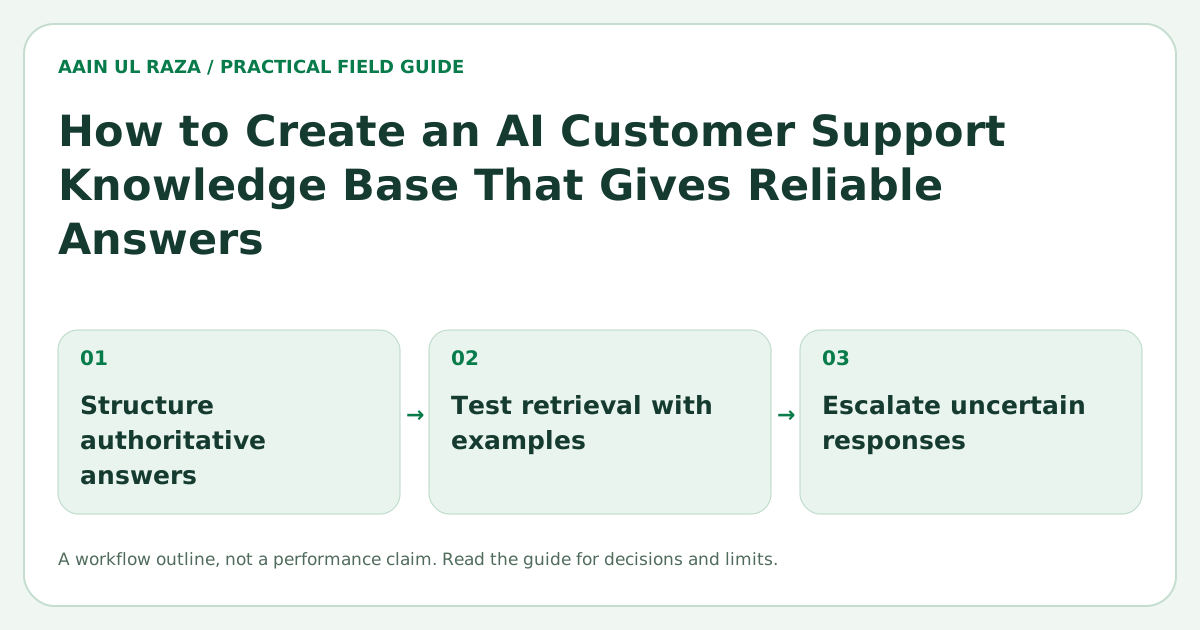
To make AI more reliable, the assistant should:
- Retrieve relevant articles before answering
- Cite the source or article title
- Stay within the available documentation
- Escalate if the answer is uncertain
A reliable support assistant should be willing to say, “I could not confirm that from the knowledge base. I am escalating this to support.”
That is far better than a confident wrong answer.
Create a source hierarchy
Not all documents should be treated equally. Build a hierarchy like this:
- Official policy and product docs
- Help center articles
- Troubleshooting notes approved by support
- Release notes
- Archived content or old material
If old content conflicts with newer documentation, the newer approved source should win.
Include business rules, not just product facts
Many support assistants fail because they only know product features, not support policies.
Add documented rules for things like:
- Refund windows
- Escalation conditions
- Verification requirements
- Ownership changes
- SLA or response expectations
- Approval requirements
These rules make the AI much more useful in real support workflows.
Decide when to escalate
A good AI support knowledge base is not just about answers. It also supports handoff logic.
Create escalation rules such as:
- Billing disputes go to finance or senior support
- Security issues go to an authorized team
- Missing documentation triggers human review
- Angry or complex customer situations go to a person
- Account specific requests require human verification
This protects customer experience and reduces risk.
How to keep the knowledge base current
Support information becomes unreliable when no one owns updates. Create a maintenance routine.
Simple update process
- Assign content owners
- Review key articles monthly
- Update docs when features change
- Mark deprecated content clearly
- Archive old material carefully
- Track article last updated dates
AI can help answer questions, but humans must keep the source material accurate.
Metrics that show whether it works
Useful metrics include:
- Answer success rate
- Escalation rate
- Customer satisfaction
- Reopen rate after AI answer
- Article coverage gaps
- Hallucination or error reports
If the AI answers quickly but customers still need manual help, the knowledge base may be incomplete.
Practical example
Imagine a SaaS company receives support requests about password resets, user permissions, billing changes and integrations.
A good support AI workflow could:
- Identify the issue type
- Retrieve the most relevant help article
- Provide a short direct answer
- Link to the full guide
- Escalate account specific issues to support
- Log the question for coverage analysis
This does not just improve support speed. It also shows where your documentation is weak.
Common mistakes
- Using outdated documents
- Letting AI answer without source grounding
- Mixing policy content with unclear notes
- Not tracking article ownership
- No escalation path
- Treating support AI like general chat instead of operational support
Design content for retrieval, not just browsing
Traditional help centers are often organized for human navigation. AI retrieval needs an additional level of precision. Each article should focus on one clear task or problem and use words customers are likely to use when describing it.
Avoid one giant page that mixes login help, billing rules, account deletion and integrations. Smaller focused documents make it easier for a retrieval system to find the right source and reduce the chance of blending unrelated rules.
Add metadata that improves context
Useful metadata can include product area, customer plan, platform, country, effective date and content status. This helps the retrieval layer filter sources before the AI writes an answer.
For example, a refund policy for annual enterprise accounts should not be retrieved for a monthly self serve customer if the rules are different. Metadata makes that distinction possible.
Build a verification layer for risky answers
Not every support question has the same risk. A password reset instruction is usually straightforward. A billing refund, security issue or account ownership change can have financial or privacy consequences.
Create a simple risk classification. Low risk answers can be delivered automatically from trusted sources. Medium risk answers can be shown with a confirmation step. High risk issues should be routed to a human.
This keeps automation fast where it is safe and conservative where mistakes matter.
Measure retrieval quality separately from writing quality
When an AI answer is wrong, the problem may not be the language model. The system may have retrieved the wrong document. Track both retrieval and answer quality.
For failed cases, ask:
- Did the system retrieve the correct source?
- Did the source actually contain the answer?
- Did the model follow the source correctly?
- Should the question have been escalated instead?
This diagnosis prevents endless prompt editing when the real problem is documentation or retrieval.
Create a content gap workflow
Every unresolved support question is useful product information. If the AI cannot answer a question confidently, log it. Review those gaps weekly and decide whether you need a new article, a clearer policy or a product change.
Over time, this turns support AI into a feedback system that continuously improves the knowledge base.
Give agents the same trusted source
Human agents and AI should not operate from different versions of the truth. When possible, use the same approved knowledge base for both. Agents can then see the source used by the AI, correct the response and flag outdated content.
This creates a practical quality loop instead of treating AI support as a separate isolated system.
Add version control to important support content
When products change quickly, support answers can become outdated even if the article still looks polished. Keep a visible updated date, document major policy changes and retire old instructions instead of leaving multiple conflicting versions live. For high risk content such as billing, security and account access, require an owner to approve material changes before the AI can use them. Version discipline helps the retrieval system prefer the current source and gives support teams confidence that an answer reflects the latest operating rule.
Why test answers before launch
NIST frames AI deployment as a risk-management process. That supports the need for testing and human escalation, not any particular hallucination-rate benchmark. A support knowledge base should have its own dated test set, with expected answers and an owner who reviews failures.
Score a stale-policy conflict before launch
Build a small test set where the knowledge base contains an old refund article and a current policy. Use synthetic account details. The expected answer should select the policy effective for the question's date, cite that policy and escalate if required account facts are missing.
Score three separate results: whether retrieval selected the right source, whether the answer represented it correctly, and whether the proposed action was permitted. A fluent answer can fail the first or third check.
Store question_id, policy_version, expected_source, retrieved_source, answer_grade, action_grade. When an article changes, rerun affected questions rather than relying on a global satisfaction score. For broader model-risk context, consult the NIST Generative AI Profile. The test specification here is an editorial example, not a validated benchmark.
Further reference: NIST AI Risk Management Framework.
Frequently Asked Questions
What makes an AI support answer reliable?
A reliable answer is grounded in approved source content, is clear about limitations and escalates when certainty is low.
Should support AI cite sources?
Yes. Source citations improve trust and help both customers and agents verify the answer quickly.
How often should articles be reviewed?
High value or high traffic articles should be reviewed at least monthly or whenever the product changes.
Can AI reduce support team workload?
Yes, especially for repetitive questions, but only if the knowledge base is accurate and the escalation process is clear.
What is the biggest mistake in AI support?
The biggest mistake is expecting AI to solve poor documentation instead of fixing the documentation first.

Co-Founder of Strat IQ Digital and builder of CrawlerQue and Stratly Digital, based in West Palm Beach, FL. I work on AI products, SaaS, SEO intelligence, CRM automation and growth systems.