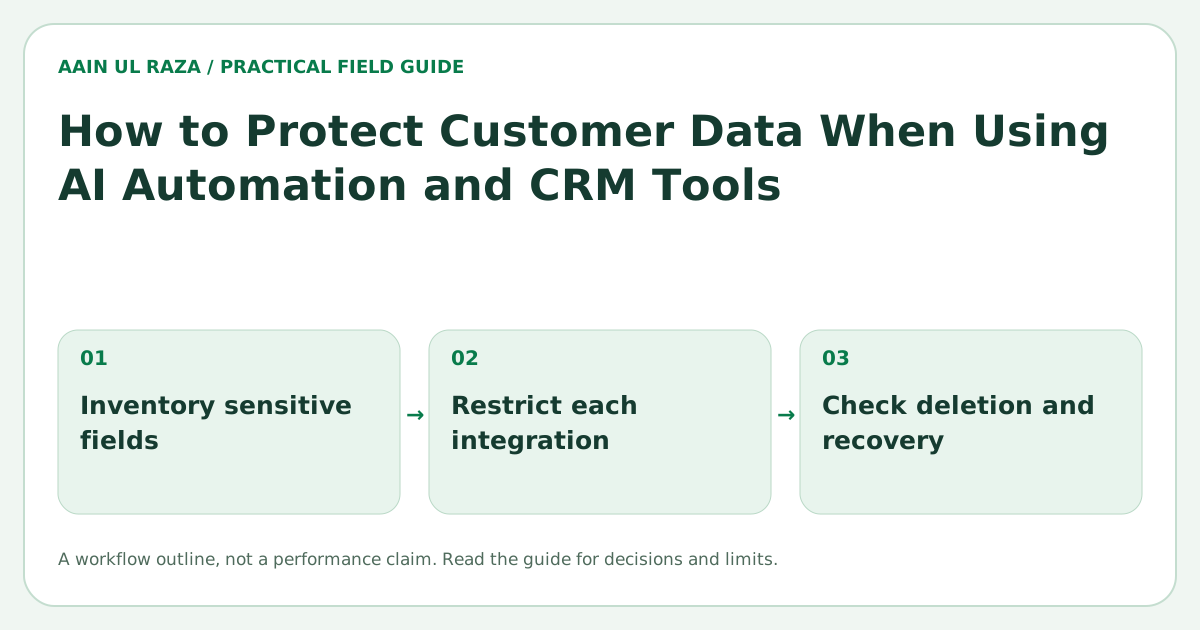
How to Protect Customer Data When Using AI Automation and CRM Tools
Practical data protection methods for AI automation and CRM tools including access control, encryption, API security, retention and audit logs.
Updated · Sources, examples and corrections
AI automation and CRM tools can improve speed and efficiency, but they also increase the amount of customer data flowing across forms, APIs, dashboards and third party services. If that data is not protected properly, the business risks privacy problems, customer mistrust and operational damage.
Protecting customer data does not require an enterprise budget, but it does require clear rules, practical controls and disciplined operations.
What customer data is usually at risk?
Many businesses store and process:
- Names and contact details
- Purchase history
- Support conversations
- Payment or billing references
- Team notes
- Tags, scores and internal workflow data
When automation is added, this data may move between tools automatically. That convenience is helpful, but it also means one weak link can expose more than expected.
Start with access control
The simplest protection rule is also one of the most important: not everyone should see everything.
Use role based access where possible:
- Admin users can manage the system
- Sales users can see only the leads they need
- Marketing users may need campaign data but not every customer note
- Read only roles can review without editing
Access control reduces the impact of mistakes and keeps sensitive information limited to the right people.
Encrypt data in transit and at rest
Two phrases matter here:
In transit
This means data is protected while moving between systems, usually through secure HTTPS or similar encrypted transport.
At rest
This means stored data is protected on servers, databases or backups.
A business should confirm that its CRM, hosting and connected tools use encryption both in transit and at rest.
Secure your API connections
APIs are often the hidden risk area in automation. A workflow may connect forms, CRMs, email tools, reporting systems and AI providers.
Secure API practice includes:
- Using secret keys safely
- Limiting permissions of tokens
- Rotating credentials when needed
- Avoiding hard coded secrets in source files
- Logging important API events
- Removing unused integrations
The more integrations you add, the more important connection hygiene becomes.
Apply data minimization
One of the best ways to protect data is to collect and store less of it.
Ask:
- Do we need this field?
- Should this note be stored permanently?
- Does the AI workflow need the full record or only selected fields?
If your process only needs name, email and service interest, do not send extra personal detail into every automation step by default.
Set retention rules
Not all data should live forever. Good retention policy reduces risk and clutter.
Examples:
- Temporary operational data: 30 days
- Routine workflow logs: 6 months
- Business need data: 2 years
- Compliance or legal records: longer if required
The key is to match retention to business need and applicable legal obligations.
Keep audit logs
Audit logs help you answer:
- Who accessed a record?
- Who changed a value?
- When was data exported?
- When was a workflow updated?
This is useful for accountability, debugging and incident review. In many real workflows, audit logs are more practical than expensive security theater.
Add approval points for sensitive actions
Some actions should not be fully automated. Examples include:
- Bulk data export
- Account ownership changes
- Sensitive field updates
- Customer deletion requests
- Workflow changes affecting personal data
Human approval is a security control, not a sign of weakness.
Review third party vendors
When using AI tools, support tools or marketing platforms, review whether they:
- Provide clear security documentation
- Support encryption
- Offer permission controls
- Allow data deletion or export
- Give reasonable transparency on storage and processing
You do not need enterprise procurement, but you do need basic vendor awareness.
Common risks to watch
- Shared logins
- Too many admin users
- Sensitive data in plain spreadsheets
- Hard coded API keys
- Unused old integrations
- No record of data exports
- AI workflows receiving more data than necessary
Most small business data issues come from weak process discipline, not from advanced hacking.
A practical protection checklist
- Define user roles and permissions
- Turn on secure authentication and strong passwords
- Confirm encryption for tools and storage
- Limit data passed through automations
- Use secure, monitored API connections
- Set retention and deletion rules
- Keep audit logs for important actions
- Review vendor and integration access regularly
Classify data before you automate it
Not all CRM data has the same sensitivity. Create a simple classification such as public, internal, confidential and highly sensitive. Then decide which automation tools are allowed to process each category.
For example, a public company name may be safe to use in many workflows. Payment data, identity documents or private support notes may require much stricter controls. Classification stops teams from treating every field the same way.
Use least privilege for integrations
API keys and connected apps should receive only the permissions they need. If an automation only needs to read new leads and update one status field, it should not receive full administrator access to the CRM.
Least privilege limits the damage if credentials are exposed or a workflow is misconfigured. Review integration permissions the same way you review employee permissions.
Separate production and testing data
Testing new AI workflows with real customer data can create unnecessary exposure. Use sample or masked data whenever possible. If production data must be used, limit the fields and records involved.
This is especially important during development because logs, debugging tools and temporary files may store information longer than expected.
Create an incident response checklist
Even small businesses should know what to do if something goes wrong. A basic checklist should identify who can disable integrations, rotate keys, review logs, contact vendors and communicate with affected customers when required.
The time to decide these responsibilities is before an incident, not during one.
Review logs without leaking more data
Logging is useful, but logs can accidentally become another copy of sensitive information. Avoid writing full customer records, passwords, tokens or unnecessary message content into logs.
Log identifiers, actions, timestamps and error details needed for troubleshooting. Keep log retention controlled and access restricted.
Document the automation data flow
For important workflows, draw a simple map showing where data enters, which systems receive it, what fields are transferred and where it is stored. This map makes vendor review, deletion requests and security audits much easier.
It also helps the business see hidden dependencies. A single website form may send data to the CRM, email platform, analytics system and AI provider. Without a map, those copies are easy to forget.
Review data sharing with AI providers deliberately
Before sending CRM data into an AI service, understand what information the task actually needs. A classification task may only need the inquiry text and service type, not the customer's full profile. Remove fields that are unnecessary for the task and avoid passing secrets, passwords or payment information. Document which AI provider receives which data categories so future changes can be reviewed instead of happening silently.
Make deletion and access requests operational
Privacy obligations are easier to manage when the business can actually locate a customer's information. Document where customer records live and how a request for export, correction or deletion should move through the team. If one customer appears in the CRM, email platform, automation logs and support system, the process should cover all of those copies. A clear request workflow reduces panic and makes privacy part of normal operations instead of a special emergency.
Review security when workflows change
Automation systems evolve. A harmless workflow can become sensitive after someone adds a new data source or destination. Treat major workflow changes as a reason to review permissions, data fields, logging and retention again. This lightweight review helps catch risk introduced by growth rather than only checking security once at launch.
Security responsibilities remain yours
FTC security guidance covers protecting and disposing of sensitive information. This article is general operational guidance, not certification of any CRM or a substitute for a legal, privacy or technical security assessment.
Trace a synthetic sensitive field through the system
In a staging test, put a clearly fake marker in a synthetic record's sensitive field. Follow it through the CRM, automation payload, model request, logs, error tracker, exports and backups. The expected destinations should match the approved data-flow map.
If the marker appears in an unrestricted log, fix the logging path before production data enters it. Redaction should happen before transmission to the log service, not only in the display interface.
Also test deletion or expiry according to the documented policy, including downstream copies and restore procedures. This is a data-flow acceptance test, not proof of legal compliance or complete security. The FTC security guide provides practical context for reducing unnecessary data collection and exposure.
Frequently Asked Questions
Is encryption enough by itself?
No. Encryption is important, but you also need access control, retention rules, secure API practice and audit visibility.
Should small businesses use audit logs?
Yes. Even simple audit logs can help track data access, workflow changes and accountability.
What is the fastest security improvement to make?
Improving user permissions and removing shared access is often one of the fastest high value improvements.
Does AI always need full customer records?
No. Many AI tasks work better and more safely when only the necessary fields are provided.
How often should access permissions be reviewed?
A monthly or quarterly review is a practical habit, especially when team roles change.

Co-Founder of Strat IQ Digital and builder of CrawlerQue and Stratly Digital, based in West Palm Beach, FL. I work on AI products, SaaS, SEO intelligence, CRM automation and growth systems.