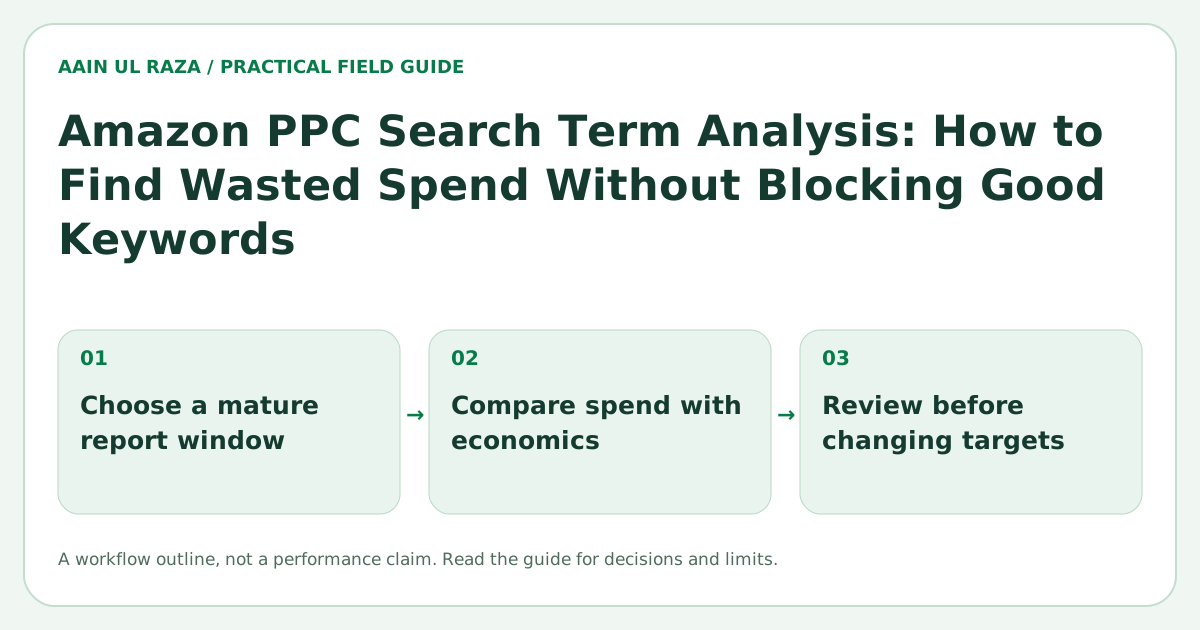
Amazon PPC Search Term Analysis: How to Find Wasted Spend Without Blocking Good Keywords
Learn how to analyze Amazon search term reports, find wasted spend and manage negative keywords without blocking profitable search traffic.
Updated · Sources, examples and corrections
Search term analysis is one of the most important parts of Amazon PPC management, because it shows exactly what shoppers typed before clicking your ad. If you review search terms properly, you can find wasted spend, improve efficiency and protect profitable traffic.
The danger is that many sellers react too quickly. They see spend and no sales, add a negative, and accidentally block terms that still have potential. Good search term analysis is about precision, not panic.
What is a search term report?
A search term report shows the actual customer queries that triggered your ads. It usually includes metrics such as:
- Impressions
- Clicks
- Spend
- Sales
- Orders
- ACoS
- Conversion rate
This report is different from a keyword list. A keyword is what you target. A search term is what the shopper actually typed.
Why wasted spend happens
Wasted spend usually appears when a term gets clicks but little or no sales. Common reasons include:
- The query is irrelevant
- The shopper intent is poor
- Your product is not a strong match
- The bid is too high for the conversion rate
- The listing does not convert well enough
Not every non converting term is bad. Some simply need more data.
A practical framework to review search terms
Step 1: Segment terms by performance
Create buckets such as:
- Strong performers
- Promising but not mature
- Likely waste
- Clearly irrelevant
This is much smarter than labeling everything as good or bad.
Step 2: Check spend against your economics
A term with no orders after $3 of spend is very different from one with no orders after $120 of spend. Use your acceptable CPC, break even ACoS and average conversion rate as context.
Step 3: Review intent, not just metrics
Look at the wording.
Examples:
- “orthopedic dog bed” may be highly relevant
- “dog bed instructions” may be weak
- “dog bed replacement cover” may be irrelevant if you do not sell covers
A relevant term with weak performance may deserve optimization. An irrelevant term usually deserves a negative.
How to identify wasted spend safely
Terms become stronger negative candidates when they have:
- High clicks with zero orders
- Meaningful spend beyond your risk threshold
- Poor product fit
- Repeated weak performance over time
- Very low conversion compared with account average
For example, if a term spent $140, generated 276 clicks and only $12.99 in sales, that is usually a strong wasted spend candidate.
Terms you should not block too quickly
Be careful with:
- Broad but relevant category terms
- New terms with low data volume
- High funnel discovery terms
- Terms that assist future branded or repeat searches
- Terms that convert in one campaign but not another
These terms may need lower bids, different match types or better listing alignment, not instant negatives.
Negative keyword strategy
Use exact negatives for precision
Exact negatives are useful when one specific term is clearly poor.
Use phrase negatives carefully
Phrase negatives block a wider set of queries. They are powerful, but riskier.
For example, adding a phrase negative like “car seat” may block many variations. That may be correct if you do not sell anything related, but it should be reviewed carefully.
A safe review checklist before adding a negative
Ask:
- Is the term actually irrelevant?
- Has it spent enough to judge fairly?
- Is the product listing aligned with the search?
- Could a lower bid solve the issue?
- Would an exact negative be safer than a phrase negative?
If you cannot answer these clearly, wait or test more.
How conversion rate changes the decision
A high click term with low conversion may still improve if:
- Main image is improved
- Price becomes more competitive
- Reviews increase
- Listing copy gets tighter
- You move the term to an exact match campaign
That is why term analysis should never be isolated from listing quality.
Build a simple wasted spend workflow
A useful process:
- Export search term report
- Sort by spend descending
- Highlight terms with zero sales or weak ACoS
- Check relevance manually
- Compare to conversion and CPC benchmarks
- Decide: keep, lower bid, move, or negate
- Track the source of every negative keyword added
Tracking the source is important because later you can see why a negative was added and avoid conflicting actions.
Example decisions
Term: “dog beds for cars”
- Relevance: poor for a standard dog bed
- Spend: high
- Sales: very low
- Decision: likely negative
Term: “orthopedic dog bed”
- Relevance: strong
- Spend: moderate
- Sales: healthy
- Decision: scale or isolate
Term: “dog bed waterproof”
- Relevance: maybe strong depending on the listing
- Spend: low to moderate
- Sales: zero so far
- Decision: review listing and data volume before negating
Common mistakes
- Adding negatives too early
- Using phrase negatives too aggressively
- Ignoring listing issues
- Looking only at ACoS and not relevance
- Failing to separate different campaign goals
- Not tracking why negatives were added
Set product specific waste thresholds
A fixed rule such as "negate after 10 clicks with no sale" can be dangerous because products have different prices and conversion rates. A better threshold uses your economics.
If a product normally converts at 10%, you expect roughly one order per ten clicks over time, but natural variation still exists. If the acceptable CPC is $0.80, then ten clicks represent about $8 of expected spend. A high margin product may tolerate more testing than a low margin product.
Use spend, click count, relevance and historical conversion together rather than one universal rule.
Look at longer windows before permanent negatives
Short windows are useful for monitoring, but permanent negative decisions often deserve a longer lookback. A term may have weak performance this week and strong historical performance over the previous two months.
Before blocking a term, check whether the poor result is a temporary change, a stock issue, a price change or seasonality. Long lookback analysis is especially important for lower volume products.
Separate harvesting from waste control
Search term analysis has two jobs. The first is finding waste. The second is finding winners.
High converting search terms can be harvested into dedicated exact match campaigns where bids and budgets are easier to control. Poor terms can be reduced or negated. Treat both actions as part of the same workflow so optimization is not only defensive.
Watch for root word waste
Sometimes the problem is not one search term but a repeated concept. If dozens of weak terms contain the same irrelevant modifier, that root word may be generating waste across campaigns.
For example, if a product does not fit vehicles and many weak queries contain words such as "car" or "truck," a carefully reviewed phrase negative may solve more waste than dozens of exact negatives. This should be done cautiously because root words can also appear inside relevant phrases.
Keep a never negative list
Some terms are too strategically important to block automatically. Maintain a protected list of brand terms, core category terms and proven converting queries. Any automation or bulk negative workflow should check this list before applying changes.
This is especially important when multiple team members or automated rules manage the same account.
Audit every negative action
Record the search term, negative type, source campaign, date, reason and person or rule that created the negative. This makes future troubleshooting much easier.
If traffic suddenly drops, you can trace whether a negative action caused the change. Good PPC automation always needs source tracing and reversible decisions.
A controlled decision before adding a negative keyword
Consider an illustrative report with a query spending $42 across 21 clicks and zero attributed sales. That is a candidate for review, not automatically a keyword to exclude: its conversion window might be incomplete, and the same words might appear in valuable converting queries. First check the date window, match type, search-term relevance, earlier orders and whether the term is strategically valuable for discovery.
Write the decision record as query, campaign, match type, spend, clicks, orders, review window, action, reason, approval. If exclusion is justified, prefer the narrowest practical negative targeting setting and review downstream changes. A permanent exact negative should never be inferred solely from a single short reporting period.
Amazon's documentation on Sponsored Products targeting and negative controls describes the platform-side mechanics; it is not evidence that any particular exclusion will raise profit.
Quantify uncertainty before blocking a term
In a simplified hypothetical model, a term with a true 10% conversion probability can still produce zero orders in 15 independent clicks: 0.9^15, or about 20.6%. Zero orders in that small sample is therefore not proof of zero demand.
Real clicks are not identical independent trials, and conversion attribution may be delayed. Use the calculation as a warning about sample size, not a bid rule. Compare spend with the product's contribution ceiling, check the query's relevance and allow the reporting window to mature.
A clearly irrelevant query can justify a narrow exclusion on relevance grounds even with limited data. A relevant but inconclusive term needs a budgeted test or a bid adjustment with a review date. Record the reason so future reviewers can distinguish relevance decisions from economic decisions.
Frequently Asked Questions
How much spend is enough before I judge a search term?
There is no universal number. It depends on your price, conversion rate and acceptable CPC. Use your product economics as the guide.
Should I add negatives every week?
Regular review is helpful, but frequency should depend on campaign volume. High volume accounts may review daily or several times a week.
What is the safest type of negative?
Exact negative is usually the safest because it removes only the specific query.
Can a term be bad in one campaign and good in another?
Yes. Placement, bid strategy and match type can change how the same search term performs.
What is the biggest mistake in search term analysis?
The biggest mistake is blocking potentially valuable traffic without enough data or context.
Reproduce a six-term review queue
The local search-term review tool uses a fictional CSV with six deliberately different cases. It does not connect to Amazon or change bids and negatives. All amounts are in one unspecified example currency; they are teaching inputs rather than recommended account thresholds.
For the example, set target ACoS to 30%, spend review limit to 25 and minimum clicks to 15. Confirm a completed attribution/reporting window only for the exercise. The expected queue is:
| Example term | What the tool reports | Reason to inspect |
|---|---|---|
| brandname | Protected | Explicit protection takes precedence over zero-sales flags |
| relevant no sales | Review zero sales | Spend 36 and 18 clicks cross both chosen thresholds |
| high acos | Review efficiency | Spend 45 divided by sales 90 is 50% ACoS |
| good term | Within target | Spend 15 divided by sales 100 is 15% ACoS |
| sparse | Insufficient data | Spend 12 and five clicks are below the chosen gates |
| credit | Invalid | Negative spend requires reconciliation instead of silent interpretation |
Now uncheck the mature-window control. The valid nonprotected terms should remain insufficient data. This makes a missing reporting condition visible rather than converting delayed attribution into a confident negative-keyword recommendation.
A review flag is not a decision to negate. Inspect query intent, product economics, stock, listing changes, campaign purpose and the underlying report. A protected term may still need budget or bid review. A within-target term is not automatically incrementally profitable: attributed sales are not contribution, and this tool does not infer organic cannibalization or new-customer value.
Retain the original report window and a written human decision next to any action you take elsewhere. Use the same window definition when evaluating the next observation. Inspect the published rule source if a row's classification is unexpected.

Co-Founder of Strat IQ Digital and builder of CrawlerQue and Stratly Digital, based in West Palm Beach, FL. I work on AI products, SaaS, SEO intelligence, CRM automation and growth systems.