Customer Feedback Systems for SaaS: Turn Support, Sales and Churn Signals Into Product Decisions
Build a practical SaaS feedback system that combines support tickets, sales objections, churn reasons, product usage and interviews into prioritized product decisions.
Updated · Sources, examples and corrections
SaaS teams rarely suffer from a complete lack of feedback. They suffer from feedback scattered across too many places.
Sales hears objections. Support sees recurring friction. Product analytics shows behavior. Cancellation forms capture exit reasons. Founders receive direct messages. Customer success hears goals that never make it into the roadmap.
A customer feedback system turns those fragments into evidence that can support product decisions.
The goal is not to count feature requests. The goal is to understand which customer problem is occurring, for whom, how often, how severe it is and what business outcome is blocked.
Treat feedback as evidence, not instructions
Customers are excellent at describing their experience. They are not always the best source for the final solution.
A request like add a dashboard may actually mean:
- I cannot tell whether the workflow succeeded.
- I need a weekly report for my manager.
- I want to compare two periods.
- I do not trust the current data.
Store the requested solution, but also capture the underlying job or problem.
That distinction prevents the roadmap from becoming a list of UI requests.
Combine qualitative and behavioral signals
Strong product decisions use both what customers say and what customers do.
Qualitative sources include:
- Support tickets.
- Sales calls.
- Customer interviews.
- Cancellation reasons.
- NPS or satisfaction comments.
- Community messages.
Behavioral sources include:
- Feature usage.
- Activation events.
- Time to value.
- Error events.
- Funnel drop off.
- Retention cohorts.
The SaaS Onboarding Metrics guide explains how behavior metrics can reveal onboarding problems. The SaaS Churn Analysis guide connects cancellation evidence to retention.
Create a standard feedback record
Every piece of feedback should be normalized into a record with consistent fields.
A practical schema can include:
| Field | Example |
|---|---|
| Customer | Account or user ID |
| Source | Support, sales, churn, interview |
| Problem statement | Cannot tell which leads need action |
| Requested solution | Dashboard |
| Product area | CRM pipeline |
| Severity | High |
| Frequency | Repeated |
| Customer segment | Agency, 10 to 25 users |
| Revenue context | Plan or account value |
| Evidence link | Ticket, call note or session |
| Status | New, reviewed, planned, closed |
Do not require every field at capture time. The system should be quick enough that teams actually use it.
Build a problem taxonomy
A taxonomy lets the team see repeated patterns.
Useful categories might include:
- Onboarding.
- Reliability.
- Missing capability.
- Confusing workflow.
- Reporting.
- Integration.
- Performance.
- Permissions.
- Pricing or packaging.
- Documentation.
Keep the taxonomy small. If the team needs dozens of categories, the categories are probably too specific.
The free text problem statement remains important because categories cannot capture nuance.
Separate frequency from importance
The most requested feature is not always the most important problem.
A low value segment may create many requests. A smaller enterprise segment may surface a critical security problem. A reliability issue may affect every customer but generate few tickets because users simply leave.
Score problems across several dimensions:
- Number of affected customers.
- Severity.
- Revenue at risk.
- Strategic segment importance.
- Effect on activation or retention.
- Confidence in the evidence.
- Cost of the current workaround.
This creates a more balanced view than request count alone.
Use evidence bundles
A strong product opportunity often has more than one evidence type.
For example:
Problem: users cannot understand why a workflow failed.
Evidence bundle:
- 14 support tickets mentioning failed automation.
- Increased drop off after the workflow setup step.
- Three churn comments mentioning reliability.
- Product logs showing repeated configuration errors.
- Two sales prospects asking about audit trails.
This bundle is stronger than a single loud customer request.
Tag feedback to customer lifecycle
The same problem has different meaning depending on when it occurs.
During evaluation, missing proof may block purchase. During onboarding, complexity may block activation. During mature usage, reliability may drive churn.
Add lifecycle context such as:
- Prospect.
- Trial.
- New customer.
- Activated customer.
- Expansion customer.
- At risk.
- Churned.
This helps the team connect product problems to business outcomes.
Create a weekly feedback review
Do not wait for quarterly planning to read feedback.
A short weekly review can cover:
- New high severity problems.
- Repeated themes.
- Major customer or revenue risks.
- Feedback connected to current roadmap work.
- Evidence gaps that require interviews or data.
- Closed loop follow ups.
The review should be small enough to sustain.
Use interviews to understand mechanisms
Interviews are most useful when you already know what you want to understand.
Avoid asking what feature should we build?
Ask about recent behavior:
- What were you trying to accomplish?
- What happened next?
- Where did you get stuck?
- What did you do instead?
- How often does this happen?
- What is the cost of the workaround?
- What would a successful outcome look like?
Specific past behavior is usually more informative than hypothetical preferences.
Connect feedback to roadmap decisions
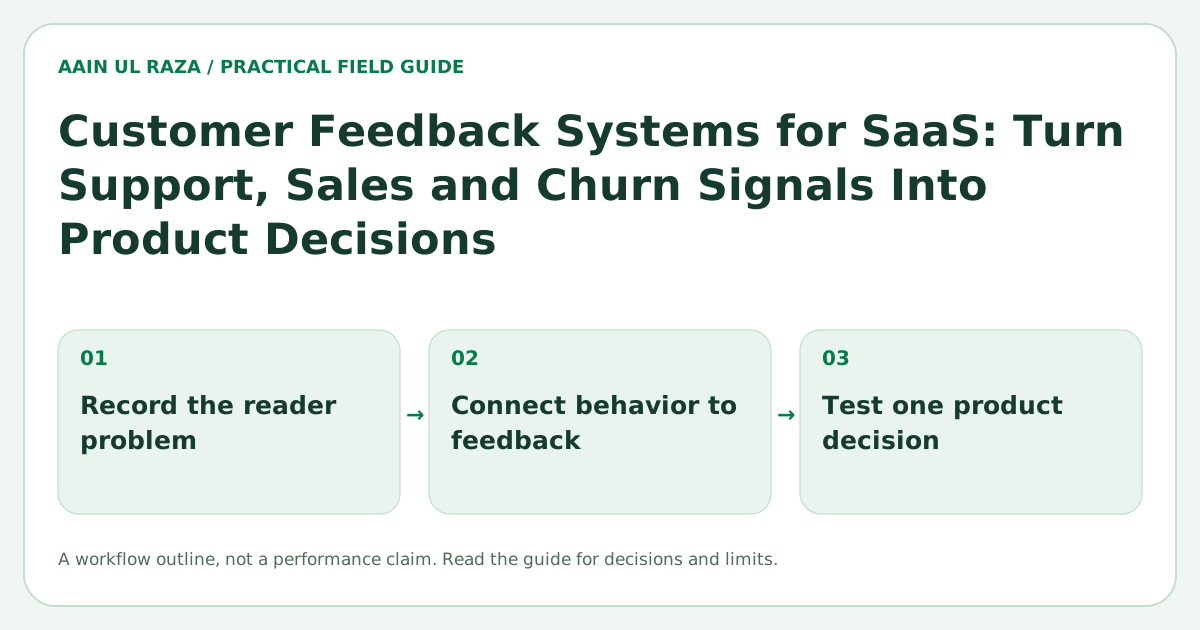
A roadmap item should state the problem, evidence and expected outcome.
Example:
Problem: new workspace admins cannot verify whether lead routing is configured correctly.
Evidence: support tickets, setup abandonment and sales objections.
Change: add a routing simulation and configuration check.
Expected outcome: fewer setup errors, faster activation and fewer routing related tickets.
Measurement: activation completion, support volume and successful first routing event.
This makes the roadmap testable.
Close the loop with customers
When a customer provides meaningful feedback, record whether the team followed up.
Closing the loop can mean:
- Explaining a workaround.
- Sharing that the problem is understood.
- Inviting the customer to test a change.
- Telling the customer when the issue is fixed.
Do not promise roadmap dates that are uncertain. Clear communication is better than false certainty.
Add product feedback to the CRM carefully
Sales and customer success already live in the CRM, so it is tempting to store everything there.
The CRM can be useful for account context and relationship history. Product feedback still needs a structured system that can group problems across accounts.
A good integration links feedback records to the CRM account rather than burying the entire product research process inside notes.
The CRM Data Hygiene guide explains why structured fields and audit history matter.
Use AI as an assistant, not the source of truth
AI can help summarize tickets, cluster similar feedback and extract candidate themes.
The final taxonomy and prioritization should still be reviewed by people who understand the product and customers.
A useful workflow is:
- Collect raw feedback.
- Use AI to suggest problem statements and tags.
- Validate against the original evidence.
- Merge true duplicates.
- Score problems using business context.
- Review high priority opportunities with the team.
This is faster than manual tagging while preserving traceability.
Build a feedback dashboard that answers decisions
Useful dashboard views include:
- Top problems by affected accounts.
- Top problems by revenue at risk.
- Problems by lifecycle stage.
- Problems by product area.
- Trends over time.
- Problems linked to churn.
- Problems linked to onboarding drop off.
- Status of validated opportunities.
Avoid turning the dashboard into a feature request popularity contest.
A practical operating cadence
Daily
Capture and tag high signal feedback.
Weekly
Review severe or repeated problems.
Monthly
Connect themes to product metrics and churn data.
Quarterly
Use accumulated evidence to inform roadmap themes and strategic bets.
The cadence keeps feedback active without allowing it to consume every product discussion.
A feedback triage record that preserves evidence
When a support request says “add a dashboard,” do not turn that phrase directly into a roadmap promise. Open a decision record and answer these questions before accepting a solution:
| Decision field | What the reviewer should capture |
|---|---|
| Observed task | What the customer was trying to verify or complete |
| Failed step | The specific screen, handoff or data check that blocked them |
| Source | A permitted support ticket, interview note or product event |
| Frequency | Count of distinct affected customers, not total message volume |
| Severity | Impact on critical work and presence of a workaround |
| Competing explanation | Missing permissions, delayed data, training or actual feature gap |
| Next action | Investigate, document, repair, prototype or defer |
This is a blank review method and contains no real customer information. Validate the underlying problem with permissioned evidence and an accountable owner before changing the product. A weekly decision review can then distinguish a recurring problem from one customer's suggested interface.
A practical external reference for instrumentation is Google Analytics event collection. Those event mechanics can support a feedback dashboard, but they do not validate a customer request or replace interviews, support notes and retention data.
Convert a feature request into a falsifiable problem
A fictional customer says, "Add an AI dashboard." Before adding it to a roadmap, ask which decision is currently hard, what information they use and what they would do differently after seeing the answer.
A usable problem statement might be: "Account managers cannot identify overdue handoffs without opening six boards." Test whether a simple filtered queue solves that problem before building a model-driven dashboard.
Record the source, affected role, task frequency, current workaround and evidence. Keep the customer's requested solution separate from your hypothesis. After a prototype, observe whether the person completes the task more reliably. A vote count alone does not reveal severity, willingness to pay or the cost of maintaining the feature.
Frequently Asked Questions
Is a feature request the same thing as a product problem?
No. The request is often a proposed solution. Record the task, observed obstacle and actual consequences before deciding whether a feature, documentation or reliability repair is appropriate.
How do I stop repeated customer messages from inflating priority?
Deduplicate by affected account or problem, then assess severity, segment impact and independent evidence. Message volume alone is a weak priority metric.
Can AI make the final roadmap decision automatically?
AI can group themes and draft summaries, but human owners should inspect evidence quality, privacy and tradeoffs before committing to a roadmap change.

Co-Founder of Strat IQ Digital and builder of CrawlerQue and Stratly Digital, based in West Palm Beach, FL. I work on AI products, SaaS, SEO intelligence, CRM automation and growth systems.